





LeoRaww
BlueExorzist
bwirvin

reesenziggy
jpupw
Nezyemnoi

marponnamadness2
NabiDoki
shadats
Bokenzi
TechnoMau
Scenejudd13
SandraCharlet

suikuzu
mark331

casey-lee

Kiku-hime
Manga-Apps

ahon77

Mr--Jack

MlleBee

kevinbolk
MonsterPappa

Sardiryx

Skysealer
Kyena
PlastikStars
Collection
Favourites






- United Kingdom
- Deviant for 17 years
- She / Her
Badges

My Bio
Current Residence: UK
Favourite genre of music: j-rock, j-pop, rock, pop, glam/alternative Rock.
Favourite photographer: Lesley Kee
Favourite style of art: Digital, Sketching, Painting, Art Nouveau
Favourite cartoon character: Shaun the Sheep
Favourite genre of music: j-rock, j-pop, rock, pop, glam/alternative Rock.
Favourite photographer: Lesley Kee
Favourite style of art: Digital, Sketching, Painting, Art Nouveau
Favourite cartoon character: Shaun the Sheep
Favourite Visual Artist
Audrey Kawasaki, Brian Froud, Greg Staples, HTK, Mucha Alphonse, Privat Livemont, Jason Chan.
Favourite Movies
Tim Burton's Nightmare Before Christmas, Rataouille, Dragonfly, Transformers.
Favourite Bands / Musical Artists
Acid Black Cherry, koda kumi, ayumi hamasaki, Gackt, Rihanna, Lilly Allen, Miyavi.
Favourite Writers
Terry Pratchet.
Favourite Games
TLOZ,Final Fantasy,Dead or Alive, Resident Evil, Xenosaga, Black & White, Soul Calibur, K.O.F.
Other Interests
Art, Music, Designing, Illustration, Cosplay, photography.
New Account!
0 min read
I've now got a new account:
~Sheppie-Photography (https://www.deviantart.com/sheppie-photography)
I may keep this account for other things such as photo-manips, but from now on all of my photography shall be put there, so please watch me there! :heart:
Thank you! :)
Join the community to add your comment. Already a deviant? Log In
Profile Comments 349
Join the community to add your comment. Already a deviant? Log In
hey girl, thanks for the fav! 
Your welcome! Your sculptures are amazing.

Haha, aww
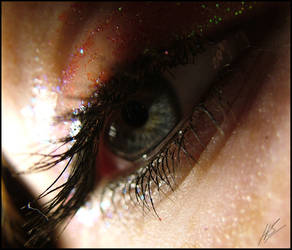
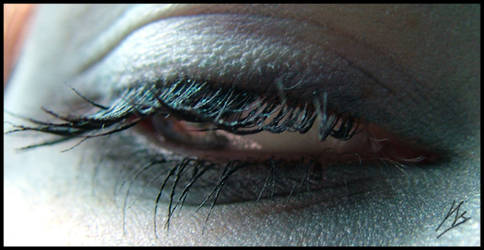
Thanks for posting so many close ups of eyes! I saved a bunch of them to use as reference later. I always struggle when it comes to drawing eyes, especially when I'm trying to make them look more "real".
Your welcome! I'll be glad if they help you. 
Hi.
I've just make your image, + Succubus Eye + as a base for my Plurk's background image. I'm sure to credit you. I just want you to know...and I really love your work
Here's the image, hope you like
I've just make your image, + Succubus Eye + as a base for my Plurk's background image. I'm sure to credit you. I just want you to know...and I really love your work
Here's the image, hope you like
